Documentation
Setting Up Infrastructure
Please Log In for full access to the web site.
Note that this link will take you to an external site (https://shimmer.mit.edu) to authenticate, and then you will be redirected back to this page.
Waveform Viewers
When running simulations on your computer, you'll generate waveform files which let you view the values of every signal over time; they're an invaluable tool for quickly debugging and maintaining your sanity! You'll need to install some software to be able to look at the files.
Recommended: Surfer VS Code Extension
There is a VS Code extension called Surfer that will make your life easy. You can just open waveform files directly in VS Code, so you don't need to run any commands or open a separate application.
You can install the extension by searching for Surfer in the VS Code Extensions tab.
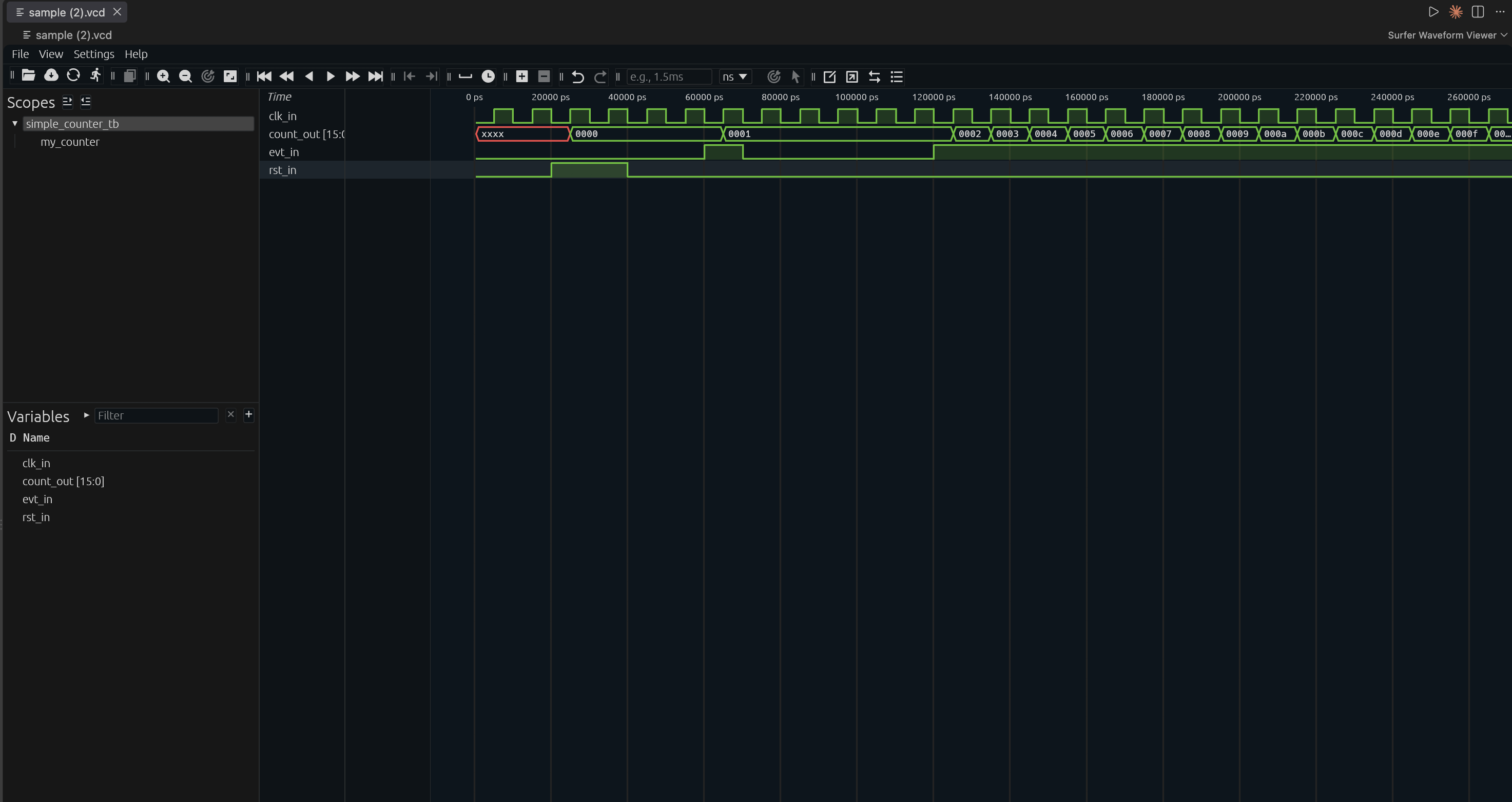
Try downloading this sample file and opening it directly in VS Code to ensure that you can view a waveform. When you open the file, you should see something like this:
Other Waveform Viewer Options
If the Surfer VS Code extension doesn't work for you, you have a few other options:
1. Surfer
Surfer is also available as a standalone application. Prebuilt binaries are available for many platforms, making installation straightforward. On some systems, you may need to build it from source; Mac folks on x86 processors, see the instructions at the bottom of this page (thanks, Yoland!).
Surfer also has a web version that works well for smaller waveform files, although it is less performant than the locally installed versions.1
2. GTKWave
GTKWave is an oldy, but goody. This was out in some form even when I was in undergrad in the mid 2000's.
Detailed install instructions can be found here, and shouldn't need any significant changes, but we've found:
-
Windows: If you already installed GTKWave at the same time you installed iVerilog, therenn's no need to install it again.
-
macOS: macOS people will probably have the easiest time installing from homebrew with:
brew install --cask gtkwaveYou might need to go the
Generaltab under yourSecurity and Privacysettings and manually allow GTKWave to run.For some reason GTKWave doesn't like being called from the command line. Assuming it actually installed, you can probably get away with launching it from your Launchpad, and then opening
.vcdfile from there.Mac folks, you will likely need to also do:
brew uninstall gtkwave brew untap randomplum/gtkwave brew install --HEAD randomplum/gtkwave/gtkwave -
Debian/Ubuntu: If you did everything for iVerilog already, you likely can just:
apt install gtkwave
3. Oboe
Oboe is a really new tool produced by an MIT startup. One big selling point is that it is entirely web-based so it allows you to upload and share waveforms to help with remote debugging/assistance.
I've used it a bit and it seems pretty solid, but also this is a new tool, so things may come up with it. The creators have provided a Google doc about how to go about getting set up.
Google Doc with setup instructions here
Testing Your Waveform Viewer
Open the sample waveform with your chosen viewer to make sure everything is working.
Additional Mac x86 Surfer Instructions
If you are on Windows, Linux (x86, Debian-like), or macOS ARM (i.e. M1/M2/M3), you can download the pre-compiled binaries from the Surfer Project's Website without compiling it yourself.
If you are running on any other platform, most notably macOS but on an Intel Processor (x86), you must build Surfer from source:
1. Install Homebrew (if you don't already have it)
You can check if you have Homebrew by running:
brew -v
Otherwise, install it by running:
/bin/bash -c "$(curl -fsSL https://raw.githubusercontent.com/Homebrew/install/HEAD/install.sh)"
2. Install Rust and Rustup
curl --proto '=https' --tlsv1.2 -sSf https://sh.rustup.rs | sh
3. Install OpenSSL
brew install openssl
4. Install Surfer
cargo install --git https://gitlab.com/surfer-project/surfer surfer
This may take a while to build depending on your computer. It can take up to 15 minutes to compile the binary.
Once completed, run:
surfer <your_vcd_file>.vcd
from the command line to open your waveform. You can test it with the sample waveform we have provided.